Skip to content
calendrax
Menu

Everything Calendrax does

The free plugin is a complete booking system. Pro adds the tools a growing business asks for. Every screenshot here is the real plugin.

Free

A booking page customers finish

Service, then date and time side by side, then their details. Three short steps, no account to create, and it works with a keyboard, a screen reader and a phone.

  • Paste [calendrax_booking] on any page, or link a single service with service="ID".
  • Show a list of services with [calendrax_services], filtered by category.
  • Questions per service, such as “Any allergies?”
  • Group capacity for classes, tours and workshops.
The booking form showing a month calendar and free times
Free

Deposits, full payment or pay later

Each service decides how it is paid: free, pay at the appointment, a deposit (fixed or a percentage with a minimum), or the full price online. Stripe’s secure payment form opens inside your booking page, so customers never leave your site; cards, Apple Pay and Google Pay all work.

  • Money goes to your own Stripe account through Stripe Connect.
  • A booking is confirmed only when Stripe’s signed webhook says it is paid, never on a browser redirect.
  • Unpaid bookings hold the time, then release it automatically.
  • Refunds, in full or part, from the booking screen.
The booking form showing the deposit due before continuing to Stripe Checkout
Free

Schedules that match how you work

Weekly hours per staff member with breaks, days off and partial time off. Buffers before and after, minimum notice, how far ahead people can book, and an “anyone available” option that spreads bookings across the team.

  • Availability is worked out on the server, time-zone and daylight-saving aware.
  • Two customers clicking “Book” for the same time at the same moment cannot both get it.
  • Add phone and walk-in bookings yourself and record cash or card payments.
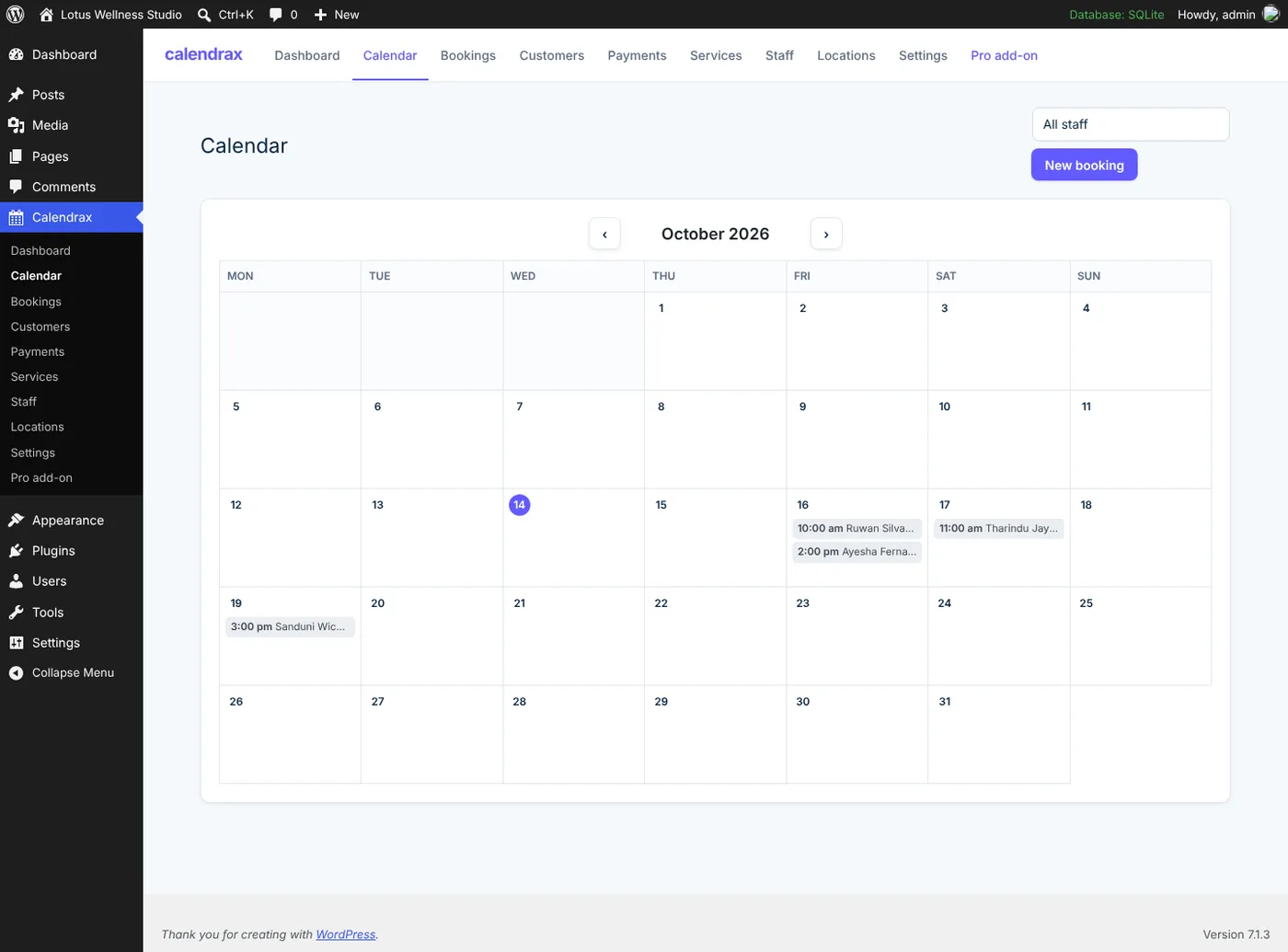
The admin calendar showing a week of bookings
Free

Customers manage their own bookings

Every email has a private link where the customer can see the booking or cancel within your rules. To change the time they tap to call you (with Pro they can also reschedule online, or talk to your AI phone agent). Choose a page for it, or let Calendrax add it to the page you pick.

  • Per-service cut-off times for cancelling and rescheduling.
  • You are told about every cancellation and decide whether to refund the deposit.
  • The link is a long secret; it shows nothing to anyone else.
A customer viewing their booking with reschedule and cancel buttons
Free

Emails that look like your business

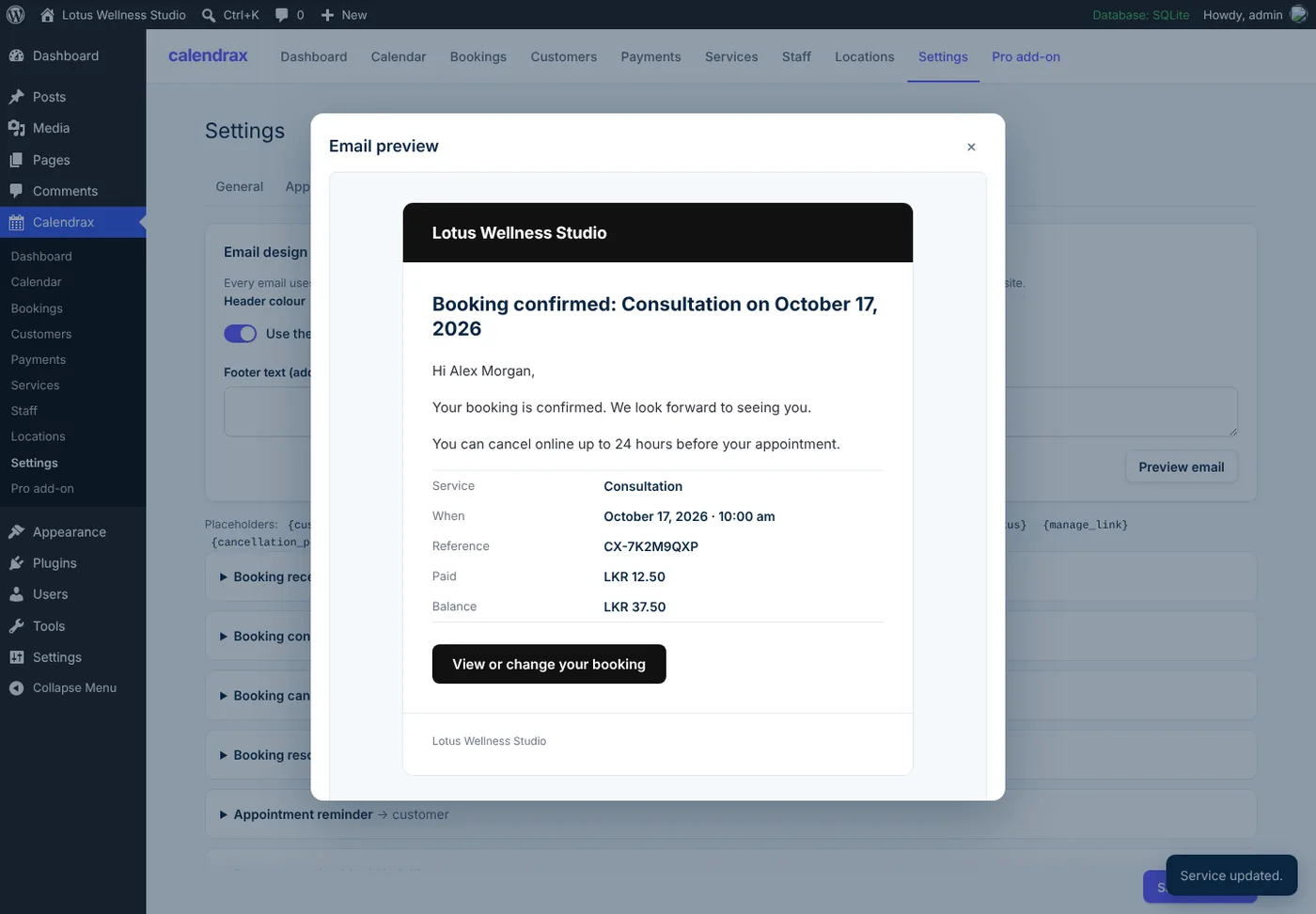
One clean, modern email design for confirmations, reminders, cancellations, reschedules and deposit or balance reminders. The header takes your site’s primary colour, or any colour you choose, and the text stays readable on it.

  • Edit every subject and message, with placeholders like {service} and {date}.
  • Preview before you save, and send yourself a test.
  • Alerts to you and the staff member for each new booking.
The email settings with a header colour picker and a preview
Free

Fits your theme instead of fighting it

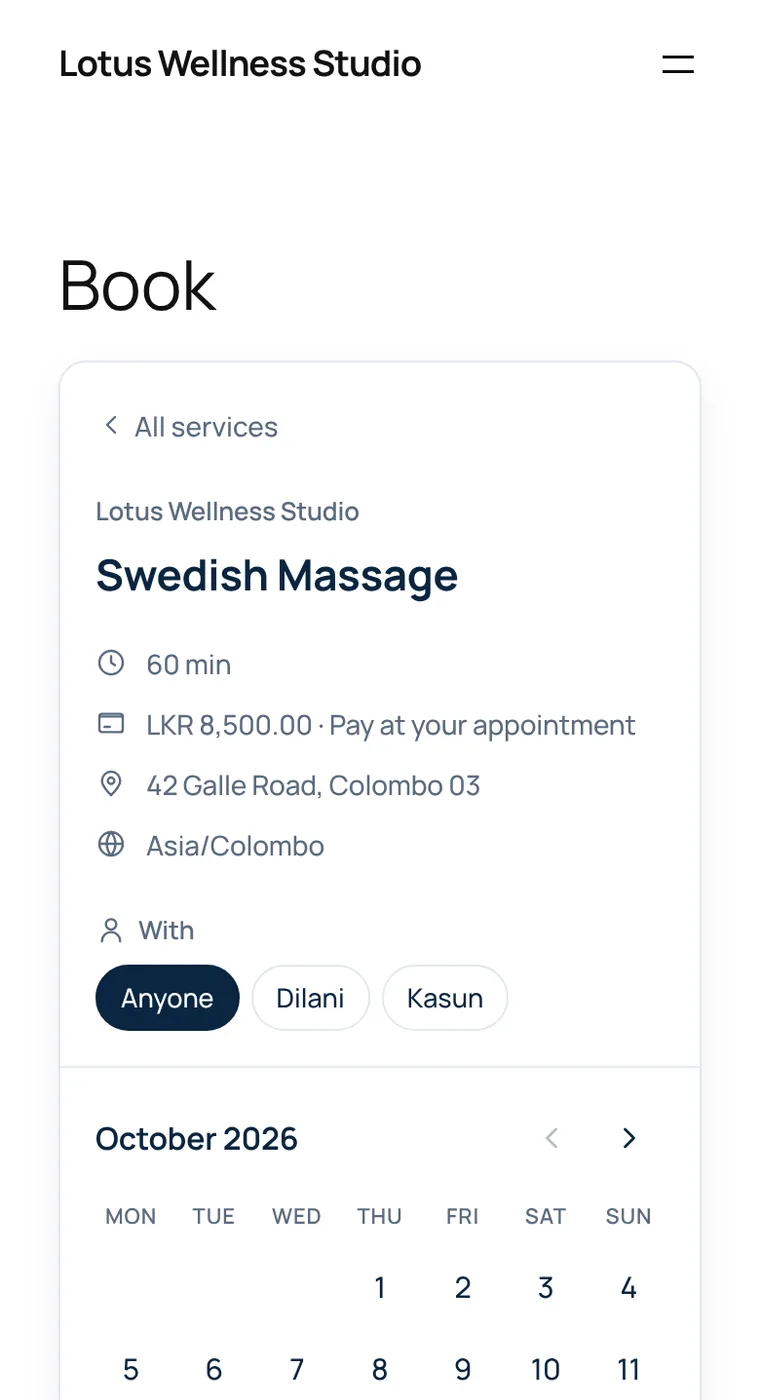
The booking form uses your theme’s font by default. If you want more control, choose the font, text size, corner style, light, dark or automatic mode, and your accent colour.

  • No changes to your menus, header or other pages.
  • Works in the block editor, Elementor, Divi, Beaver Builder and classic themes.
  • Looks right on phones from the first screen.
The booking form on a phone screen
Free

One fast admin page

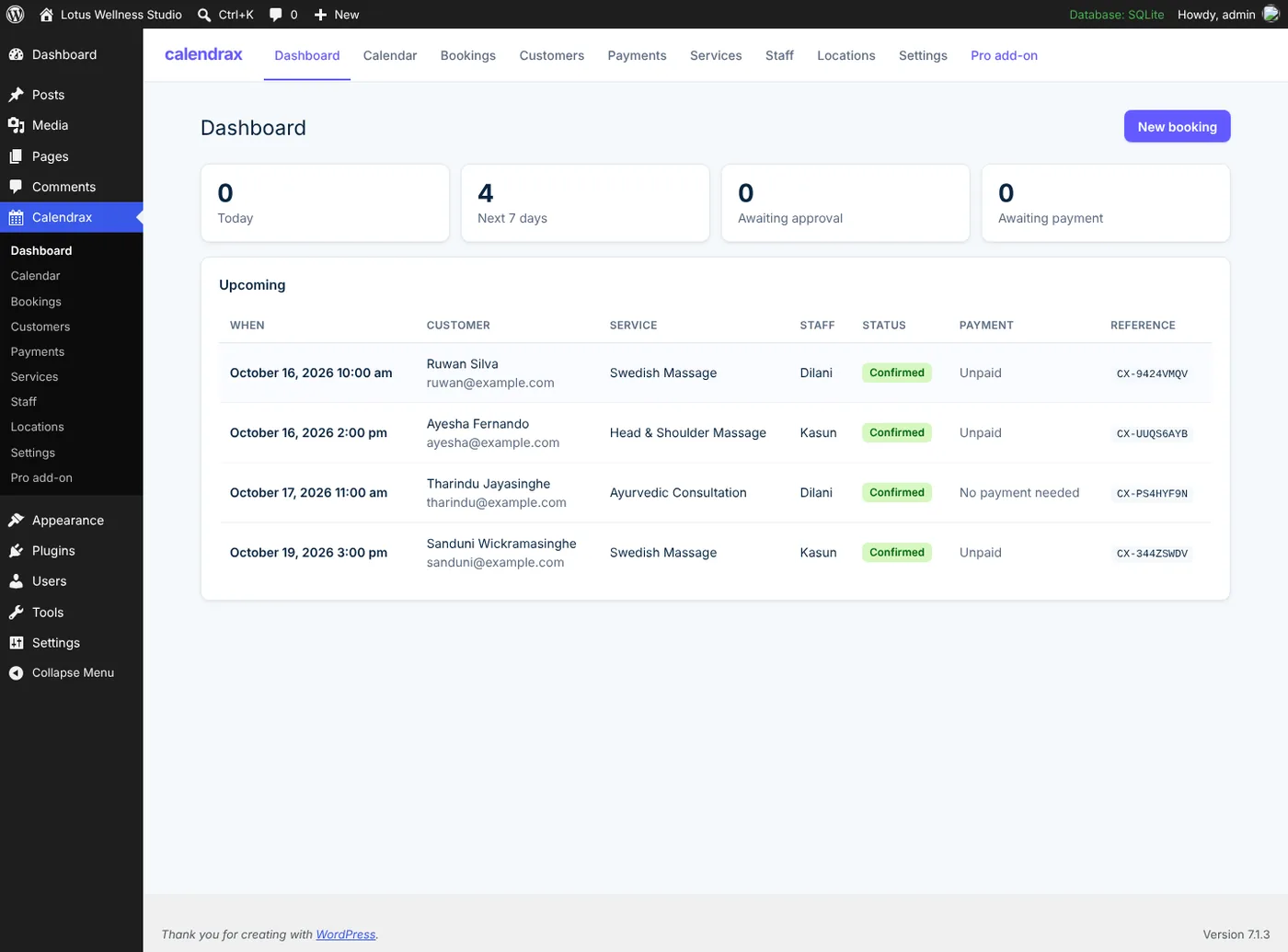
Dashboard, calendar, bookings, customers, payments, services, staff and settings live on one screen that switches instantly, like WooCommerce settings. New sites get a two-minute quick setup and a guided Stripe connection.

  • Full history on every booking: who changed what, and when.
  • Works with WordPress’s export and erase personal data tools.
  • Your data stays when you deactivate, update or remove Pro.
The Calendrax dashboard in WordPress
Pro

An assistant that knows your business

Add a floating chat to every page. It reads your published pages and posts, so it can answer “what offers do you have right now?”, and it checks real free times before suggesting any. It never invents prices or times, and the customer always presses Confirm.

  • Uses your own Google Gemini key, stored encrypted and never sent to browsers.
  • Your colour, title, greeting, quick questions and position on screen.
  • When Google is unavailable, visitors are sent to your normal booking page.
The AI assistant suggesting free times for a service
Pro

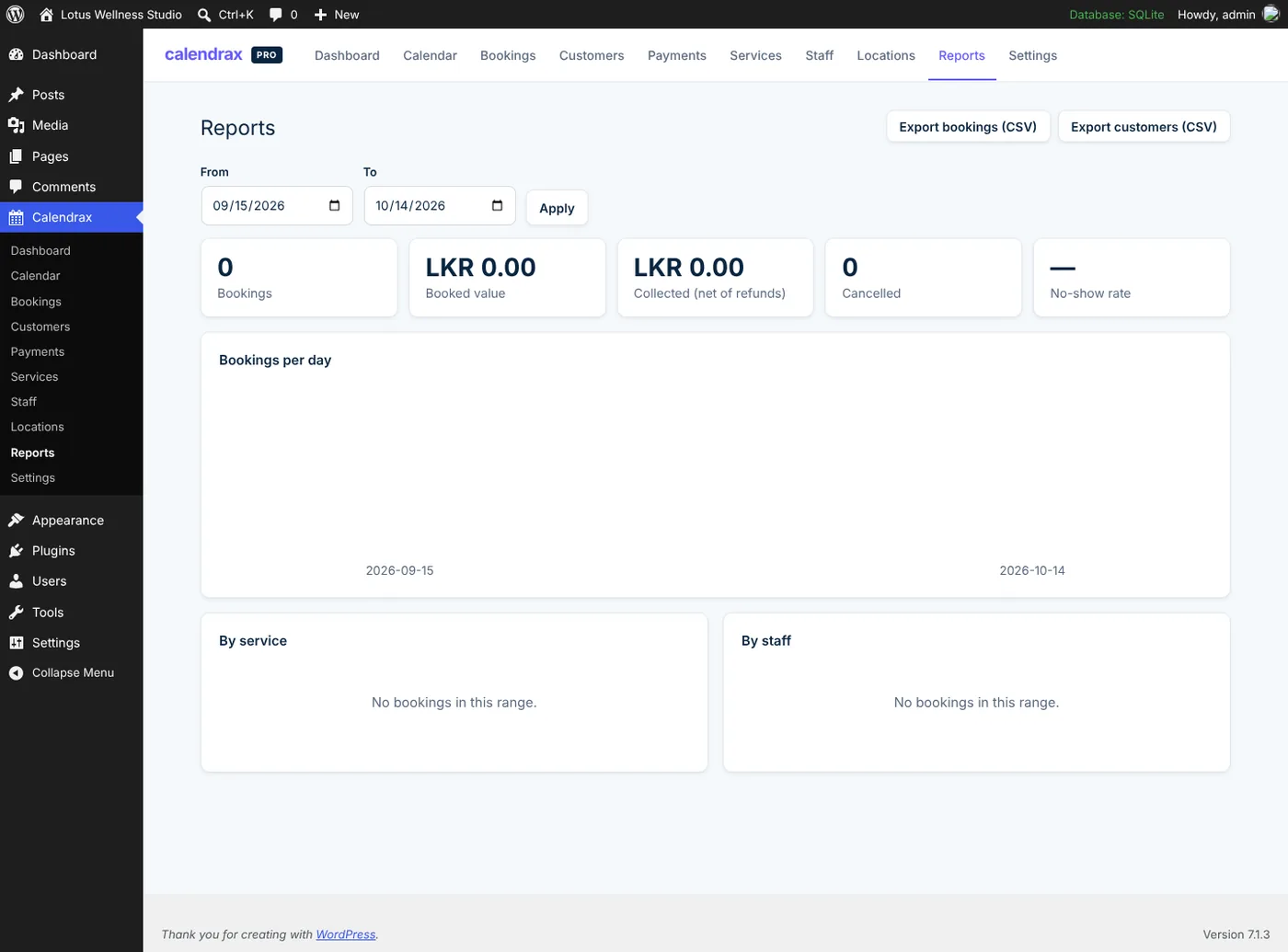
Reports, exports and more locations

See booked value, money collected, cancellations and the no-show rate by day, service, staff member and location. Export bookings and customers to CSV. Add as many locations as you need, each with a manager who sees only their own.

  • CSV files are safe to open in Excel (formula cells are neutralised).
  • Branch managers get bookings, calendar, customers and payments for their location only.
Pro reports with revenue and booking charts

Also in Pro

Promotion codes

Let customers enter Stripe promotion codes at checkout. The discount shows on the booking.

Calendar feeds

Subscribe from Google Calendar, Apple Calendar or Outlook, for everyone or one staff member.

Webhooks

Signed events for Zapier, Make, n8n or your own server when bookings are made, changed or paid.

Branch managers

A WordPress role that sees only the locations you assign.

Email support

Twelve months of answers from the people who wrote the plugin.

Updates in WordPress

New versions appear on your Plugins screen like any other update.

Built to be safe with money and personal data

Calendrax handles payments and customer details, so it is written defensively and tested against real failure cases: double clicks, expired holds, replayed webhooks and slow networks.

  • Card details are entered only on Stripe’s page.
  • Bookings are marked paid only from signed Stripe webhooks.
  • Every admin action checks a WordPress permission and a security nonce.
  • Secret keys are encrypted in your database and never sent to browsers.
  • Booking links and calendar feeds use long random secrets.
  • Rate limits on booking, lookup and AI endpoints.
  • Outgoing webhooks cannot be pointed at private network addresses.
  • Passes the WordPress Plugin Check with no errors.